Photo measurements
Two chalk marks sit 200 mm apart on this synthetic sleeve. See what the camera recovers using a sheet of A4 as its reference.
Inspect the landmarks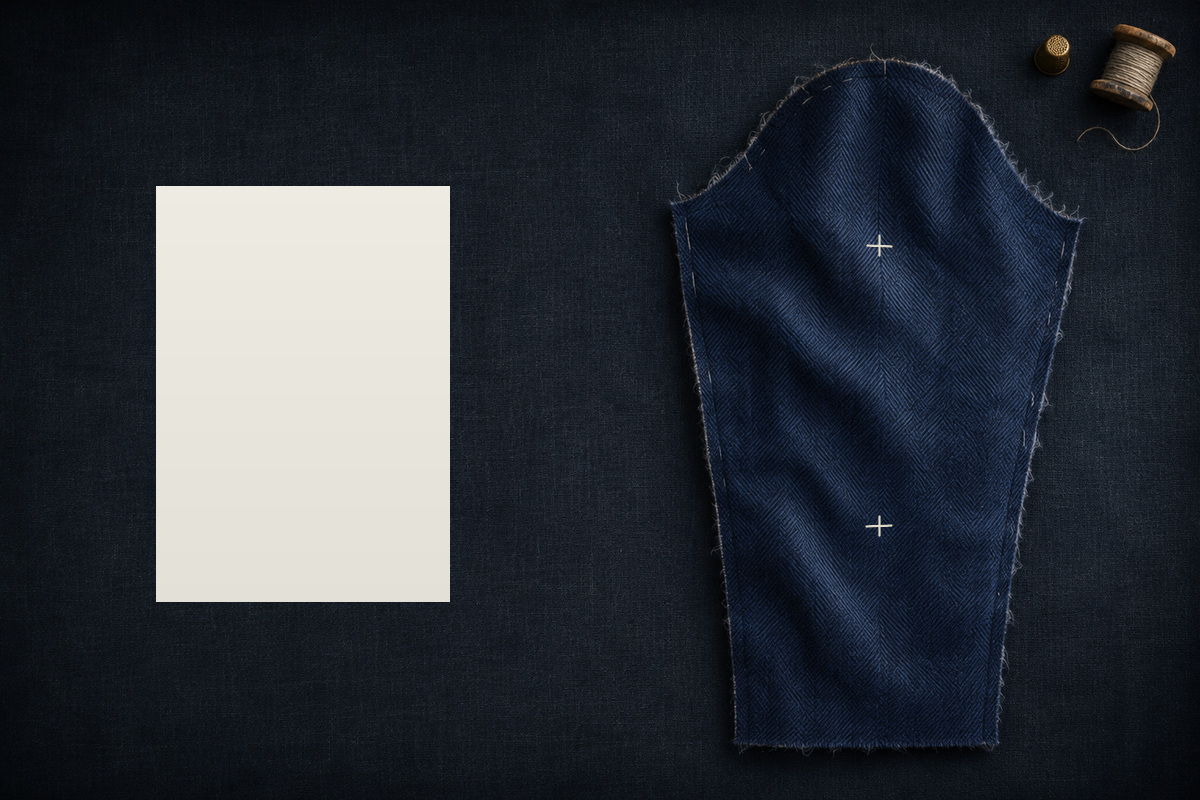
Calibrate a camera locally — optional
Identify the camera from several views of a measured, rigid, flat reference. Supply your declared lens model, unchanged capture settings, actual frame identities and FIT/CHECK assignments before fitting. Use different out-of-plane tilts. The shared calibration engine keeps every acquired corner and reports failed gates.
The manifest uses ftx-camera-calibration-images/1. Each views[].image
must exactly match a selected filename, or a path relative to the chosen directory. Select either files or a directory.
All selected PNG/JPEG photos must be declared; other directory files are ignored. Up to 32 images are read
and detected one at a time. No FIT/CHECK split, timestamp, image model or noise value is inferred.
Coordinate input uses ftx-camera-calibration-input/1. Separate noise uses
ftx-calibration-corner-noise/1; keep its uncertainty and independence evidence explicit.
Do not combine separate noise with an inline noise declaration. JSON limits: 16 MiB for input/noise,
256 KiB for the sheet; each image has the ordinary 64 MiB/16-million-pixel limit.
See the camera calibration input guide for the exact schemas and capture requirements.
Choose the original acquisition documents and local images.
Image acquisition progress
Camera calibration result
| Frame | View partition | FIT / CHECK corners | Maximum residual (px) | Failure |
|---|
Accepted calibration can be used immediately below. Enter the current photo's lens/settings ID, rotation and independence evidence yourself. A rejected calibration remains inspectable and downloadable; it cannot supply measurement intrinsics. Numerical acceptance does not establish camera accuracy, unchanged physical settings, correct print size or real-person fit.
Complete calibration, source observations and uncertainty
1. Find the reference sheet
Show all four paper edges against a darker background. Verify the actual paper size and keep the sheet flat, square to the camera and near the landmarks' plane. A detected reference cannot prove its printed size or remove depth error.
Use the JSON sidecar belonging to the printed board. The sheet supplies its physical dimensions and marker IDs. Print at actual size and check its ruler bars. Download a matching Letter board and Letter sidecar, or A4 board and A4 sidecar.
Use a saved ftx-camera-calibration/1 report or ftx-photo-lens/1 document for the exact lens, focus, zoom, resolution and orientation. Retained calibration is checked against its saved observations. These fields assert the current capture settings; they do not rotate or resize the photo. Known calibration-photo reuse is refused when uncertainty requires independence. You can create a retained calibration in the optional section above.
Choose a photo. PNG must be opaque, already oriented 8-bit gray/RGB; JPEG EXIF is applied once.
Limits: 64 MiB encoded and 16 million pixels per photo; 256 KiB sheet/point/options JSON; 16 MiB retained calibration. Unsupported HEIC/WebP, transparency and animation require conversion; images are never silently resized.
2. Review the sheet and choose points
Cyan marks show the detected paper outline or accepted ChArUco corners; amber marks show rejected corners. Click two landmarks to add a pair under the name below. Coordinates refer to the full-resolution oriented pixels, regardless of display size.
Loading replaces the current set. Use full-resolution points from the same oriented photo and review their overlay.
Save completed pairs and settings before measuring, or after a measurement refusal. Complete or cancel an unfinished first click first. To reopen the draft, analyze the original photo with the same reference, calibration and capture declarations. Loading replaces points and settings together only when that analyzed source matches exactly. A draft contains no measurement result or original photo; keep the source files privately. Draft limit: 32 MiB.
Use lengths such as across_back or arm_length; names ending in _deg measure angles below horizontal. Two clicks do not measure a body girth. Unknown names are retained with the native catalogue warning.
Scale diagnostics and source identity
3. Measurement uncertainty
Using the form values below (bootstrap seed 0).
Loading replaces all measurement settings with the exact options file, including its bootstrap seed; omitted fields use the Rust defaults. Imported settings stay visible and active across photo changes. Review their assumptions for each photo. Use form values to return to the entries below.
These are explicit assumptions, not values inferred from the photo. Depth offset contributes uncertainty; it does not correct a length. Print error, lens drift and missed anatomy remain outside this estimate.
Photo-estimated evidence
These records remain PHOTO_ESTIMATED. They do not establish readiness, body girths or garment fit.
Capture date is unknown. Combine these records with stature and the other required measurements
in the Pattern Workbench: choose My tape measurements or a primary
Measurements file, then add this download under Add photo or other measurement evidence
and confirm the wearer. The native alternative is ftx measure fuse.
| Name | Value | σ | Units |
|---|
Complete native measurement report
4. Estimate a girth from front and side views
Measure chest_width, waist_width or hip_width in a front photo,
and the matching _depth in a side photo at the same anatomical level.
Keep a measured result below before choosing the next photo, or load earlier measurement downloads.
The section model combines those dimensions and their uncertainty; two clicks alone do not measure a circumference.
No front-width records selected.
No side-depth records selected.
Retained snapshots stay available when you change photos. Replacing a source removes the previous section result. Only photo-estimated dimensions are accepted. Chart priors, model-derived dimensions and conflicting observations refuse. Source documents are limited to 16 MiB combined and 4,096 records; nothing is uploaded or stored in the browser.
Shape-factor assumptions
Defaults include uncertain section-shape factors. Adult data and assumed child chest factors do not establish accuracy for this wearer. A tape calibration supplies ratios for this wearer's other levels; transfer remains an assumption.
Calibration produces coefficients, not another independent measurement of the taped level. Shape-factor overrides are inactive while calibrating. Keep the original tape measurement separately.
Choose front-width and side-depth evidence.
Section result
Girth estimates remain PHOTO_ESTIMATED. They do not establish measurement readiness, anatomical accuracy or garment fit. Review the original source dates and assumptions. Unknown dates remain unknown.
Complete section report and original source evidence
5. Reconstruct landmarks from calibrated views
Load prepared observations of stationary landmarks from at least two calibrated views. Cameras must share a metric, z-up world and the original oriented-pixel coordinates. Declare a reviewed still window or synchronized capture; unrelated frames of a moving person do not qualify.
Supply both named endpoints from the same calibrated frames in one request, including any click, shared-camera and reference-size evidence (up to 16 MiB). This measures a straight chord. It does not infer a surface tape path, girth or total measurement uncertainty.
Assign all FIT views using one calibrated lens to the same group, with its complete saved calibration report and explicit independence evidence. Version /1 holds camera poses fixed. Version /2 also retains every original sheet-pose report and re-solves those poses when the shared lens changes, preserving their dependence.
Supply the original sheet-pose report and independent corner pixel sigma for every FIT view. The engine rechecks each camera and propagates sheet-corner noise through its pose at fixed lens parameters.
Supply the same original sheet-pose reports and a sourced fractional sigma for the stationary reference. This is one uniform scale error shared by every view, measured about the sheet's fixed coordinate origin; adding views does not average it away. Nonuniform print distortion and sheet bending are not included.
Click, shared-lens, sheet-corner and reference-scale uncertainty are separate conditional components; they are not added into a total accuracy estimate. Motion and other systematic errors remain excluded. Missing uncertainty remains unavailable.
Joint refinement requires at least four well-spread fixed metric controls in every camera. Use the same stationary reference and world frame throughout. Initial camera and landmark guesses are not observations.
Each observation supplies its own pixel sigma. Switching to joint refinement clears the separate click, lens, sheet and reference-size evidence selections. Intrinsics stay fixed; no camera covariance or global optimum is established. Failed or budget-stopped solves publish no optimized geometry.
Supply 4–64 calibrated frames from one stream with at least three FIT landmarks tracked in every frame. Include independent held-out landmarks. Cameras must share a stationary metric reference.
The input declares its own motion threshold. Early/late triangulation and complete-interval reprojection checks can reject motion or weak geometry. A passing candidate still requires human review: it does not create reviewed capture evidence, verify untracked anatomy or establish measurement accuracy.
Geometry and click-noise files are each limited to 256 KiB; lens, sheet and reference-size evidence files are each limited to 16 MiB. Review the complete native report before using any geometry.
Choose calibrated observations.
Conditional geometry
This is geometry evidence, not a tape or photo measurement record, body fit or READY status. Review every FIT and held-out residual and the capture assumptions in the complete report.
Complete native geometry, source identities and conditional uncertainty
6. Fit one body shape across changing poses
Fit the same Anny shape to calibrated observations from several photographs, with a separate
pose for each frame and optional tape constraints. Begin with local still photographs below, or load
an existing ftx-anny-body-fit-input/1 request. This runs the same bounded fitter as
ftx measure fit-body, locally in a cancellable worker.
Start a body capture from local still photographs
Prepare the calibrated cameras and an empty observation draft, then use the target, observation and starting-value editors below. Choose 2–8 distinct photographs of the same wearer with the same stationary upright ChArUco sheet visible. Each checked calibration must match its photograph's lens, oriented image size and recorded rotation. All image decoding and fitting stay in this browser.
Silhouette editing also supports original photographs with a checked lens model. This option creates corrected PNG copies and crops unsupported edges. Review each corrected photograph before marking the wearer; anything outside the crop is unavailable. Your original photographs remain the calibration and sheet-check sources. Download the corrected copies with the prepared input to reopen this capture later.
Use different calibrated lenses for individual photographs
All photographs use the default calibration above unless you enable an override below. For each override, choose the original checked calibration report and explicitly enter its lens ID and the rotation already applied to the stored photograph. The camera checks must pass independently for every image; changing the image selection clears these overrides.
Declare at least four CHECK corner IDs before acquisition and leave at least four other corners for camera fitting. CHECK corners are excluded from fitting and must pass the same reprojection check in every photograph. The sheet lies at world y = 0, with printed right along +x and printed up along +z. Enter the same measured sheet origin for the whole capture.
Age and the Anny gender coefficient (0 male, 1 female) are explicit fixed model inputs. They are not inferred from photographs.
Select a model and load its available controls.
Camera acquisition diagnostics
Use already-oriented opaque PNG or JPEG bytes with absent or identity EXIF orientation; the rotation setting records a prior pixel rotation and does not rotate images. Each image is limited to 64 MiB and 16 million pixels; the batch to 128 million pixels. Calibration is limited to 16 MiB and the sheet sidecar to 256 KiB. Distinct source streams use zero as their own clock origin, so these stills establish no timing or synchrony. This creates no anatomical targets, fitted body, measurement readiness, camera accuracy qualification or garment-fit claim.
The request declares the exact model hash, calibrated cameras, anatomical correspondences, FIT/CHECK roles, parameter bounds and every initialization. Reviewed inline silhouette slices are supported, and binary silhouette PNGs can be imported below. A path-based capture input must first be prepared with the native tools; this page does not read local paths or infer landmarks from a video. Input limit: 16 MiB; model limit: 512 MiB.
Declare or correct anatomical model targets
Choose the model locations you intend to observe on the actual unfitted rest surface. The shared native picker supports surface points, mesh vertices and named bone endpoints. Start with an empty target map, define missing observed names, or correct existing definitions. It does not infer anatomy from a photograph.
Open the current prepared input and exact model to declare targets.
Use the picker's explicit return button to check and apply all targets. Every observed name must remain defined. Cameras, image bindings, observations, tape evidence and starts stay fixed. Finish or close the picker before observing points, editing starts or fitting.
Observe landmarks and silhouette slices on capture photographs
Add or correct 2D observations for the model targets already declared in this input. Verify an input-bound photograph before clicking, or enter independently reviewed stored-pixel coordinates. New points need an explicit uncertainty and FIT/CHECK role; existing roles and uncertainties stay fixed.
For silhouette-only fitting, skip the model target picker and open observations directly. Import reviewed masks or author silhouette slices, then declare at least two distinct starts. The same observability and held-out checks apply.
Values are retained as drafts when you change target or frame. Keep CHECK observations independent; do not move or remove them to improve fitted residuals. Cameras, model targets, tape evidence and applied starting values stay unchanged.
| Target | Role | X (px) | Y (px) | Sigma (px) |
|---|
Import a segmented silhouette mask for this frame
Choose an opaque 8-bit grayscale PNG with 0 for background and 255 for foreground. It must match this frame's stored orientation, dimensions and lens coordinates exactly. For a corrected capture, segment its corrected PNG. Pixels are never resized or thresholded.
Declare slices before fitting. Row and column numbers are zero-based integers, separated by commas. Leave unused lists blank. FIT slices constrain the shape; CHECK slices independently test it. At most 64 distinct slices are allowed. Import requires this frame to have no existing silhouette and all pending edits to be applied or cancelled.
Imported slices retain exact mask hashes and stay read-only. Review them over the verified photograph and download the prepared input before continuing to starting values. To replace imported evidence, restore the original input or open the saved pre-import draft.
Open the current prepared input to observe its declared targets.
Edit shared-shape and per-frame starting values
Load the prepared input's named controls, then enter each start's shared shape and each frame's pose. Cameras, observations, FIT/CHECK roles and parameter bounds stay fixed. Values must lie strictly inside the declared bounds; no values are inferred or fitted by this editor.
One complete start can be previewed. Fitting requires 2–4 distinct complete starts. Copying a start requires changing at least one value before applying it. Edits withdraw previous fit results and previews; apply or cancel them before running again. Keep predeclared CHECK evidence fixed and do not tune starts to its residuals.
Load the selected prepared input to edit its starts.
Inspect a declared starting pose before fitting
Evaluate one caller-authored start on one frame through the real body model. Inspect misplaced geometry, large residuals and failed projections before spending a fitting budget. This does not optimize parameters or produce an accepted body.
Frame numbers follow the original input order; the review shows the exact native frame identity and actual counts. A single declared start can be previewed; fitting still needs 2–4 distinct starts. Apply values in the initialization editor above, then preview them directly here. The edited input can also be downloaded for native fitting. Keep predeclared CHECK evidence fixed; do not tune starts to its residuals.
Numerical work limits
Every start and failed evaluation counts toward the shared budget. Stopping early publishes diagnostics without an accepted shape. These controls do not change residual or ambiguity gates.
Resume a saved accepted fit
Choose a saved ftx-body-fit/1 report from the native command or this page and its exact
converted model above. Opening verifies the report/model and rechecks the first full pose before
enabling frame inspection or garment reuse. It does not run the fitter or reread source photographs.
Choose a model and prepared observations, or open a saved accepted fit.
Inspect an accepted frame
Orange circles and thick contours show observations; blue crosses and thin contours show model projections. Labels keep FIT/CHECK roles. The drawing uses the input's stored pixel coordinates. For capture-backed fits, verify the matching original or corrected photograph below to inspect it behind the projections.
Declared values and every projection comparison
| Observation | Role | Residual / comparison | Diagnostic |
|---|
One frame is evaluated at a time. The OBJ keeps all original model faces and unrounded metre coordinates in the common calibrated world frame. It is a model estimate, not a certified collision skin or evidence of real-wearer fit. Source changes and cancellation withdraw this review.
Body-fit result
| Start | Outcome | Model calls | Initial / final objective |
|---|
Every residual check
Image residuals are in pixels; tape residuals are in metres. Exact frame identities and timestamps remain in the complete report. A missing residual is unavailable, never zero.
| Start | Source | Target | Role | Residual / limit | Result |
|---|
Model predictions remain MODEL_FIT. They do not become measured records or READY evidence. Acceptance is conditional on the supplied camera, correspondences and tape evidence; it does not establish anatomical accuracy or physical garment fit.